
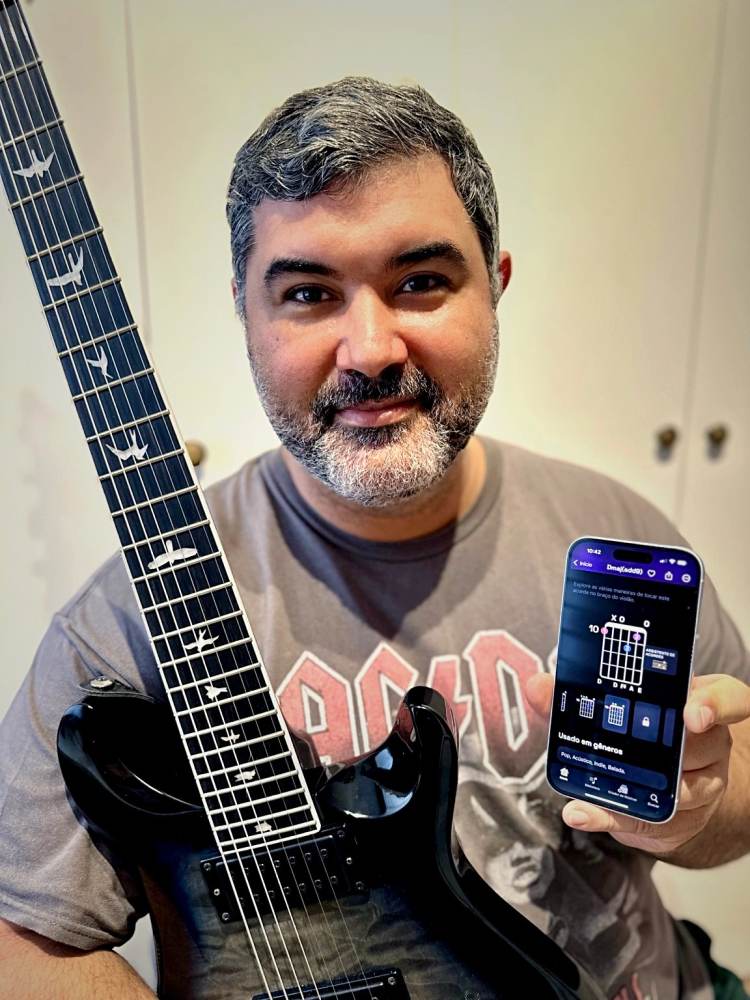
A quick disclosure before we get started: the Guitar Wiz team sent me the app to try. I'm not being paid to say nice things, or bad things. The whole point is to give you my actual opinion. If it's good, I'll say so. If it's bad, I'll say that too. Deal? Deal.
If you play guitar, you've been there: you're happily trying to figure out a song, and suddenly an existential crisis hits because you have absolutely no idea what chord you're playing.
Is it an add9? A sharp someone forgot to mention? An inversion that exists only in the head of the pianist who arranged the song?
Back in the day, your options were getting frustrated with a chord dictionary or landing on a forum thread from 2008 where the last reply was, “Dude, it's a D7 with an augmented fifth. Trust me.”
Then I discovered Guitar Wiz, an app that promises to listen to what you're playing and give you answers. I spent a few days testing whether it actually delivers or whether it's just another online course in disguise.
It's not just a chord dictionary. It's a dictionary that doesn't judge you
The first thing you notice when you open the app is its enormous chord library. But not the kind of enormous library that shows one fingering and calls it a day.
It throws a whole range of options at you across the fretboard. Inversions, variations, positions you didn't even know existed, like finding out there's a way to play C#m in a part of the neck you used to visit only when scratching your hand.
For songwriters, that's gold. Sometimes the problem isn't the harmony, it's the position. Play a chord in the wrong register and it sounds like somebody recorded it inside a closet. Change the voicing, and everything changes.
Here's the weirdest part: the app actually listens to you (and no, it doesn't record you to rat you out)
The feature that surprised me most is called Chord Assist.
Here's how it works: the app displays a chord on a virtual fretboard. You play it on your real guitar. The app listens and highlights the notes you got right.
When every note turns green, you've nailed it. If not, it just sits there staring at you until you learn, no pressure, no teacher giving you the “Did you practice this week?” look.
It also works in reverse: play something, and the app tries to identify what you just did. Perfect for when you stumble upon a random shape while exploring the fretboard and want to know what the heck you've discovered.
And yes, according to the app's description, the audio isn't recorded or stored, it's processed in real time and then discarded. Hardcore privacy mode.
What if you know the notes but not the chord name?
There's a feature called Reverse Chord Finder.
You pick the notes on the virtual fretboard, and the app tells you, “That's an F#m7, my friend. Glad I could help.”
Handy when you accidentally find a chord, like tripping over a rock in the street, and want to understand what on earth you just played.
The tools everybody uses (except these actually work)
Beyond the fancy stuff, the app gets the basics right:
- A tuner with a stated accuracy of ±0.01 cent and more than 20 alternate tunings
- A metronome that keeps running in the background (because yes, you can struggle with rhythm while listening to a podcast)
- Song Maker, build a chord progression, and the app generates a backing track with guitar, bass and drums. You can even export it as WAV
- A chord-chart scanner, point your camera at a chord chart and the app recognizes the chords. Goodbye, manual entry
Oh, and there's Chord of the Day. One new chord every day. Like an Advent calendar, except without chocolate and with more music theory.
What nobody tells you (and what I found while digging around)
Two things the original GPT-written description didn't mention that I dug up online:
- The app works on Apple Watch. Seriously: you could be onstage, glance at your wrist and see a chord chart without pulling out your phone halfway through a song. A little cheesy? Maybe. Useful? Absolutely.
- It has accessibility support for blind musicians. The tuner works with VoiceOver and provides audio feedback. It's the kind of detail that shows the developer thought beyond the usual middle-aged guitar-guy audience.
Is it worth it?
Look, Guitar Wiz isn't going to turn you into Jimmy Page overnight.
But it's an honest tool for:
- Exploring chords without opening your computer
- Understanding what you're playing instead of just repeating memorized shapes
- Quickly trying out songwriting ideas
- Breaking out of the same old harmonic habits
It's one of those apps you download, try out, and realize you're using more than you expected. Especially if you're the kind of player who likes to experiment without constantly worrying about music theory.
The app is free to try, with subscription options listed at the time of the original article: roughly R$34.90 monthly, R$199.90 yearly or R$399.90 for lifetime access if you want everything unlocked.
At the end of the day, there's one rule that never changes: no tool can replace sitting your butt in a chair and practicing. But at least this one doesn't judge you when you mess up.
What about you? Have you tried an app that listens to your guitar? Let me know if it worked, or if you also embarrassed yourself trying to identify a chord that turned out to be nothing more than a badly played C barre chord.